
Download Slideshow Creator Pro – Easy Slideshow Maker, Free Updates, Windows & Mac
Overview
Slideshow Creator Pro is a purpose‑built slideshow maker that turns your photo collections, video clips, and favorite music into polished, dynamic presentations. Designed for both beginners and seasoned creators, the software combines an intuitive drag‑and‑drop interface with powerful editing tools that let you adjust brightness, contrast, cropping, rotation, and resizing of images in just a few clicks. Video handling is equally straightforward: you can trim clips, mute audio, or overlay background tracks without leaving the main workspace. What truly sets Slideshow Creator Pro apart is its extensive library of templates, decorative elements, frames, and transition effects, which enable you to produce lively slideshows that feel professional yet personal. Once your project is complete, the program offers a variety of export options—including MP4, AVI, WMV, HTML5 video, SWF, HTML, and even executable (EXE) files—so you can share your creation on social media, embed it on a website, or burn it to a DVD. A unique feature is the ability to generate custom screensavers, giving you another creative outlet for your memories. The software is regularly updated to support the latest operating systems and file formats, and it comes with a secure download portal that guarantees a clean, ad‑free installation. Whether you’re preserving family vacations, showcasing a portfolio, or preparing a business pitch, Slideshow Creator Pro provides the tools you need to create eye‑catching presentations quickly and securely.
Core Features & Benefits
- Drag‑and‑drop timeline for instant arrangement of photos, videos, and audio.
- Built‑in photo editor: brightness, contrast, cropping, rotation, resizing, and basic filters.
- Video trimming, muting, and length adjustment without external editors.
- Over 100 ready‑made templates covering celebrations, travel, business, and education.
- Extensive library of decorations, frames, and transition effects (fade, zoom, 3‑D flips, etc.).
- Customizable background music with support for MP3, WAV, and AAC formats.
- Export to MP4, AVI, WMV, MOV, HTML5 video, SWF, HTML, EXE, and screensaver (SCR) files.
- High‑resolution output up to 4K, preserving image quality for large‑screen displays.
- One‑click publishing to YouTube, Vimeo, and Facebook directly from the app.
- Free updates for life, ensuring compatibility with new OS releases and media standards.
Pros
- Intuitive interface reduces learning curve for non‑technical users.
- All‑in‑one solution eliminates need for separate photo or video editors.
- Rich template library accelerates project creation.
- Multiple export formats cover every sharing scenario.
- Regular, free updates keep the software future‑proof.
Cons
- Advanced users may miss deeper video editing capabilities (e.g., multi‑track audio).
- No built‑in cloud storage; files must be saved locally or uploaded manually.
- Windows version offers slightly more template variety than macOS.
The overall user experience of Slideshow Creator Pro earns a solid 4.5 out of 5 stars. Its blend of simplicity and depth makes it a top choice for hobbyists and professionals alike.
Installation, Usage & Compatibility
Step‑by‑Step Installation
Downloading Slideshow Creator Pro begins at the official IUWEsoft website, where you’ll find a secure, ad‑free download button for Windows or macOS. After clicking, the installer (a .exe for Windows or .dmg for macOS) is saved to your default download folder. Run the installer and follow the on‑screen prompts: accept the license agreement, choose the installation directory (the default works for most users), and let the wizard copy the necessary files. A brief setup wizard offers optional shortcuts for quick access and the choice to install additional language packs. Once the installation finishes, launch the application from the desktop shortcut or the start menu. The first launch triggers a short “welcome tour” that highlights the main workspace, the media library panel, and the timeline editor, ensuring you can start creating immediately.
Getting Started with a New Project
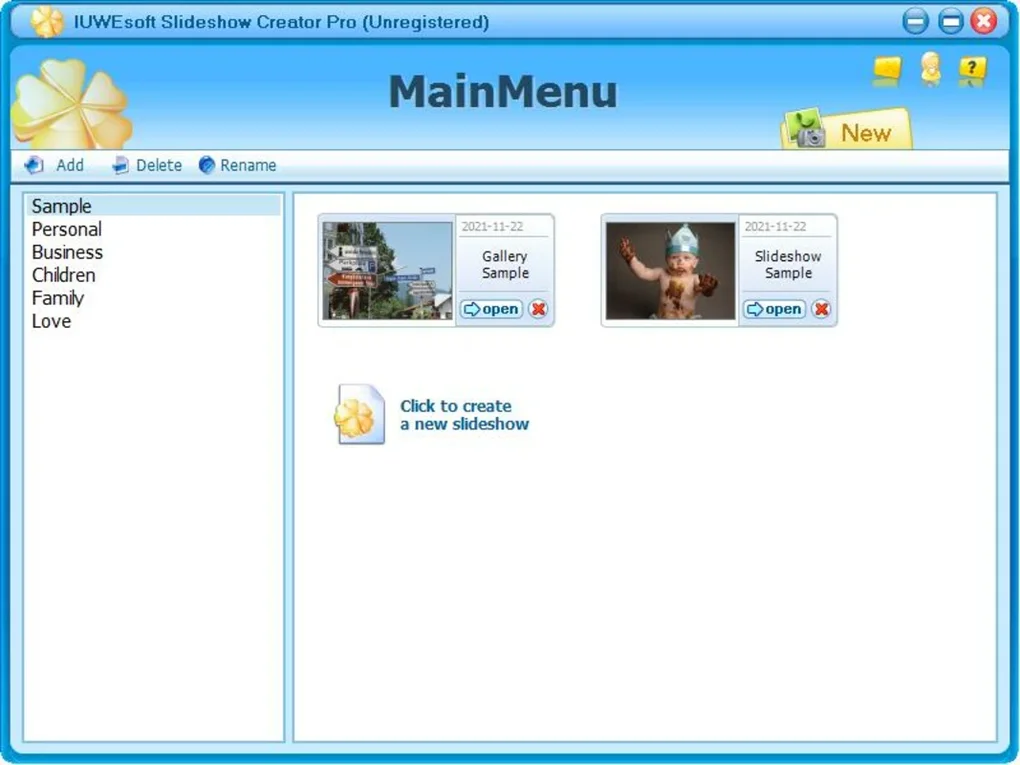
When you open Slideshow Creator Pro, click “New Project” to select a template or start from a blank canvas. Import your media by dragging files into the media bin or using the “Add Files” button. The timeline at the bottom lets you arrange items in the desired order; you can extend or shorten each clip by dragging its edges. To enhance a photo, double‑click it to open the built‑in editor, where sliders for brightness, contrast, and saturation appear alongside crop and rotate tools. For video clips, a simple trim tool appears, allowing you to cut unwanted sections. Add transitions by selecting a clip border and choosing an effect from the transition dropdown. Background music is added via the “Audio” tab—simply browse to an MP3 or WAV file, set the start point, and adjust volume levels. When satisfied, click “Export” and pick your preferred format. The export wizard offers presets for common devices (e.g., 1080p for YouTube) or custom settings for bitrate, frame rate, and resolution. Finally, hit “Render” and wait for the progress bar to complete; the finished file appears in your chosen output folder ready for sharing.
System Requirements & Operating System Support
Slideshow Creator Pro runs smoothly on the following platforms:
- Windows 10/11 (64‑bit) – Minimum 4 GB RAM, 2 GHz dual‑core CPU, 500 MB free disk space.
- macOS 10.15 Catalina or later – Minimum 4 GB RAM, Intel Core i5 or Apple Silicon, 500 MB free disk space.
- Android 8.0+ (tablet version) – 2 GB RAM, 200 MB storage, GPU with OpenGL ES 3.0.
- iOS 13+ (iPad version) – 2 GB RAM, 200 MB storage, Apple A10 chip or newer.
The desktop versions automatically detect your operating system during installation and install the appropriate binaries, ensuring a seamless experience across Windows and macOS. Mobile versions share the same feature set, optimized for touch interaction, and sync via cloud storage services if you choose to enable it.
Frequently Asked Questions & Conclusion
Can I use Slideshow Creator Pro for commercial projects?
Yes. The license includes commercial usage, allowing you to create marketing videos, product showcases, or client presentations without additional fees.
Is there a free trial available?
A 14‑day free trial is offered on the official website. The trial version provides full feature access but adds a small watermark to exported videos.
How often are updates released?
Updates are released quarterly, with occasional hot‑fixes for critical bugs. All updates are free for registered users.
Can I export a slideshow as a screensaver?
Absolutely. The “Export as Screensaver” option creates a .scr file that can be set directly from Windows Display Settings.
What video formats are supported for input?
Slideshow Creator Pro accepts MP4, MOV, AVI, WMV, FLV, and MKV files, as well as common image formats (JPG, PNG, BMP, GIF).
Final Thoughts & Call to Action
Slideshow Creator Pro delivers a balanced mix of simplicity and depth, making it a standout choice for anyone who wants to transform photos and videos into compelling stories. Its extensive template library, robust export options, and regular free updates ensure that you can keep creating fresh content without hitting a technical wall. While power users may crave more advanced video editing tools, the core feature set covers the vast majority of personal and professional needs. If you’re looking for a secure, easy‑to‑download solution that works across Windows, macOS, Android, and iOS, Slideshow Creator Pro checks all the boxes. Ready to bring your memories to life? Download Slideshow Creator Pro today and start building stunning slideshows in minutes.







